
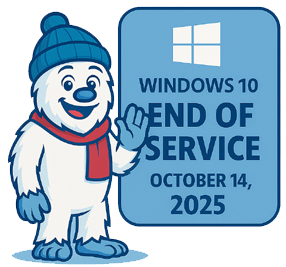
🧊 Windows 10 End of Service: What It Means for the Average Consumer
📅 When does Windows 10 support end?
Windows 10 reached its official end of support on October 14, 2025.
That means Microsoft no longer provides:
- Security updates
- Bug fixes
- Feature updates
- Technical support
Your PC will still run, but it won’t be protected or maintained.
🧨 What “End of Support” Actually Means for Regular Users
🛡️ 1. Security Risks Increase Over Time
After October 14, 2025, Windows 10 stops receiving security patches.
This leaves your system increasingly vulnerable to:
- New malware
- Ransomware
- Exploits targeting unpatched vulnerabilities
Given Windows 10’s huge market share, attackers will continue to target it aggressively.
🧩 2. Software Will Slowly Stop Working Properly
Over time, you may notice:
- New apps refusing to install
- Drivers not updating
- New hardware (printers, GPUs, peripherals) not being supported
- Microsoft 365 apps (Word, Excel, etc.) losing updates and reliability
Nothing breaks overnight, but the decay is steady.
🖥️ 3. Your PC Will Still Work — It Just Won’t Be Safe
Microsoft is clear:
Your Windows 10 PC will not stop functioning after October 14, 2025.
But without updates, it becomes a risk if connected to the internet.
For offline-only machines (e.g., CNC controllers, old games, shop tools), the risk is lower.
🧯 4. You Can Extend Security Updates — For One More Year
Microsoft offers a Consumer Extended Security Updates (ESU) program:
- Extends security updates to October 2026
- Free if you sign in with a Microsoft account and sync settings
- Or $30 / 1,000 Microsoft Reward points
- Automatically free in the European Economic Area
This buys time, but it’s temporary.
🧭 What Are Your Options?
✔️ Option 1: Upgrade to Windows 11
If your PC meets requirements (TPM 2.0, etc.), you can upgrade for free.
This is Microsoft’s recommended path.
✔️ Option 2: Buy a New PC
If your hardware doesn’t support Windows 11, a new machine is the simplest long-term solution.
✔️ Option 3: Enroll in ESU and Stay on Windows 10 for One More Year
Good for:
- Older PCs you’re not ready to replace
- Systems running specialized software
- Budget-conscious users
✔️ Option 4: Switch to Linux or ChromeOS Flex
If you want to keep your hardware but avoid Windows 11:
- Linux Mint, Ubuntu, Pop!_OS
- Chrome OS Flex for lightweight machines
These are stable, secure, and free alternatives.
🧊 Frosty’s Take — What This Means for the Average Consumer
For most people, this boils down to:
- Your PC won’t suddenly die.
- But it will become less safe and less compatible over time.
- You’ll eventually need to upgrade — either the OS or the hardware.
- ESU gives you a one-year grace period if you’re not ready.
If you’re running older rigs in the shop or up north in camp, the biggest concern is security when connected to the internet. Offline tools and machines can keep running Windows 10 without much issue.